Keeping track of your code with Git and GitHub
EVR 628- Intro to Environmental Data Science
Rosenstiel School of Marine, Atmospheric & Earth Science and Institute for Data Science & Computing
Assigned Readings
Lowndes et al. (2017)
Braga et al. (2023)
Think of the last figure, table, or number you produced for a class or job. If I asked you to regenerate it today with one column of the raw data changed, could you? What exactly would break?
Why isn’t DropBox or GoogleDrive enough?
Who is reproducibility for?
Learning Objectives
By the end of this week, you should be able to:
- Understand the importance of reproducibility
- Create the basic structure for an organized project
- Explain the difference between Git and GitHub
- Create and “clone” a “repo”
- “commit” and “push”
Learning Git and GitHub may (will) be painful
- Usually taught later in courses
- Limited use if you learn it at the end
- I would rather push materials to later in the course, but have you dominate this
Today’s Agenda
- Reproducible Research
- File Structure & Organization
- Version Control with git
- GitHub & Collaboration
- Hands-on: Building Your Repository
Version control and reproducibility
Why Should You Care?
- Career advancement: Version control is a required skill in data science
- Example job postings industry, academia, and government
- Collaboration: Work with others without breaking their code
- Reproducibility: Essential for scientific integrity / managing the real world
- Maintain versions through time
- Backup & recovery: Never lose your work again
- Portfolio building: Showcase your skills to employers (tuna data by E. Rodriguez)
The Problem: Research can be chaotic
- File naming:
analysis_final_v2_really_final_USE_THIS_ONE.R- (And the filenames loaded therein might look even worse)
- Lost work: “Where did I put that working version?”
- Collaboration conflicts: “Who changed what and when?”
- Reproducibility failures: “Why do we get different results?”
- Publication delays: “I can’t reproduce my own results”
Reproducible Research
Research that can be repeated by others using the same data and methods
Key Components:
- Data: Raw, processed, and metadata
- Code: Scripts, functions, and workflows
- Documentation: Methods, assumptions, and decisions
- Environment: Software versions and dependencies
- Results: Outputs, tables, figures
The Reproducibility Crisis
- 70% of researchers have tried and failed to reproduce another scientist’s experiments (Baker 2016)
- 50% of researchers have failed to reproduce their own experiments (Baker 2016)
- $28 billion wasted annually on irreproducible pre-clinical research (Freedman, Cockburn, and Simcoe 2016)
- Environmental science is not immune to these issues
Real-World Example: Climate Data Analysis
Scenario: You’re analyzing sea surface temperature trends
Without version control:
- Multiple versions of scripts with unclear differences
- No record of data processing steps
- Can’t track which parameters produced which results
- Collaboration becomes chaotic
With version control:
- Clear history of all changes
- Reproducible workflow from raw data to final results
- Easy collaboration and peer review
- Confidence in your results
My drawer folder of shame
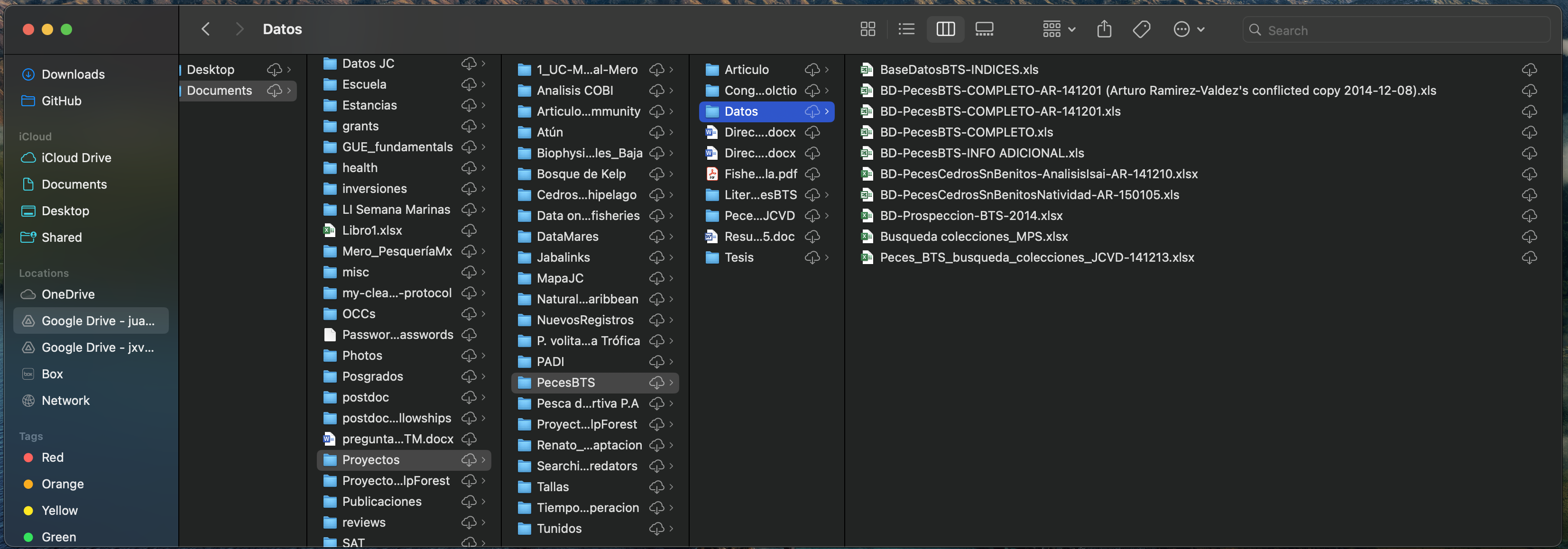
- Who did what?
- When?
- Why?
Organizing your projects
File vs path
Folder \(\neq\) file
- Folder is an address (where in your computer does this file live?)
- File name is the actual file
- When reading / writing data from R, we must specify where the file lives
- Folders are represented as
my_folder/ - Files always have an
.extension, which tells us the type of file
Project Structure Fundamentals
Important
Good file organization is the foundation of reproducible research
Principles:
- Clarity: Names should be self-explanatory
- Separation: Keep raw data, processed data, and outputs separate
- Consistency: Respect folder structure
- Documentation: Include README files and metadata
Recommended Project Structure
cool_project/
├── data/
│   ├── raw/              # Original, unmodified data
│   ├── processed/        # Cleaned, transformed data
|   └── output/           # Output from your analyses
├── scripts/
│   ├── 01_processing/
│   ├── 02_analysis/
│   └── 03_contents/
├── results/
│   ├── figures/
│   └── tables/
├── docs/                 # Documents (optional)
├── slides/               # Slides (optional)
├── coool_project.Rproj   # Rstudio project (MANDATORY)
├── README.md             # Project overview (MANDATORY)
└── .gitignore            # Files to exclude from version control
Example
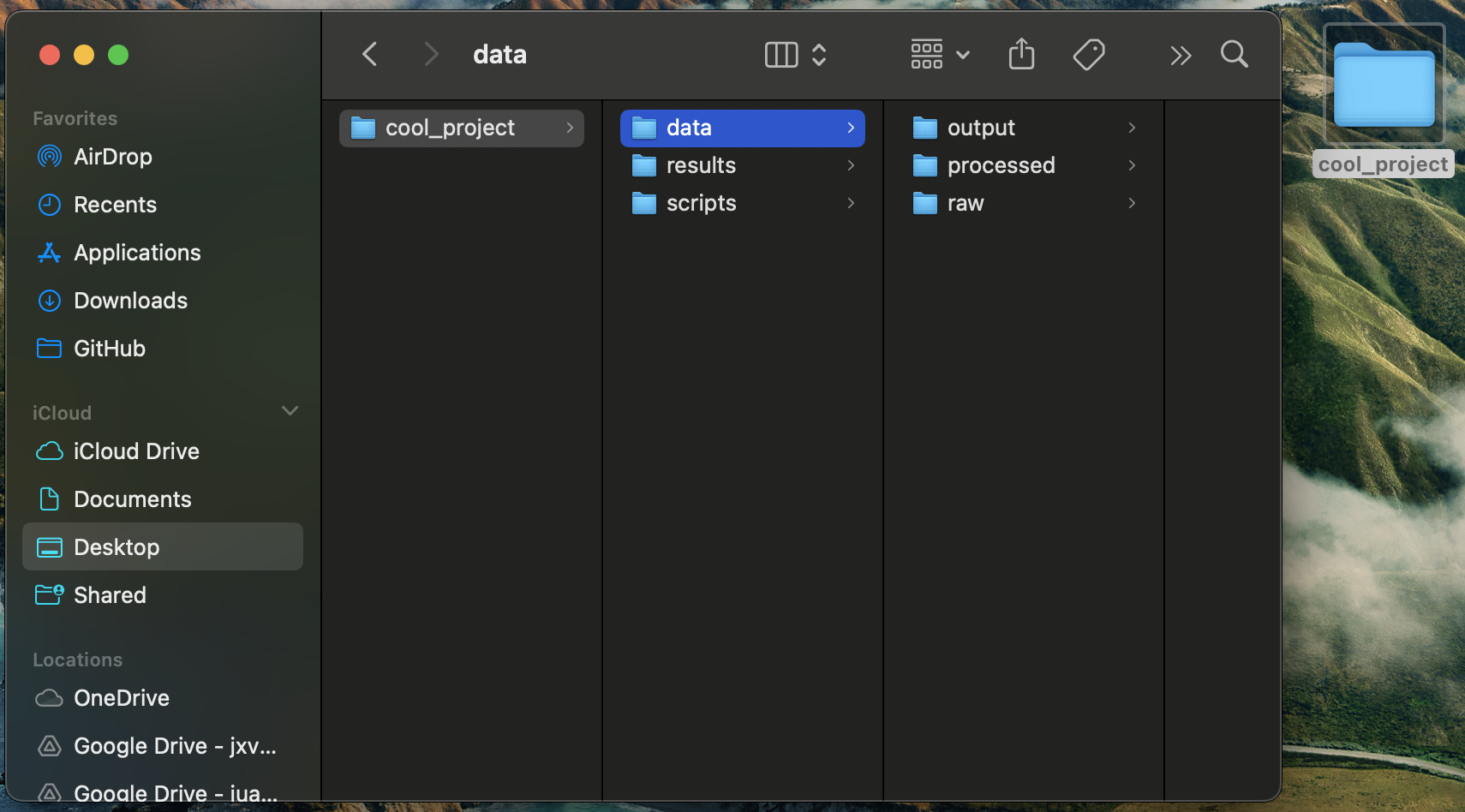
What’s missing?
File Naming Best Practices
DO:
- Use descriptive names:
sea_surface_temp_analysis.R- I prefer
snake_case, butCamelCaseis appropriate too
- I prefer
- Use consistent separators: underscores or hyphens
DON’T:
- Use spaces:
my file.R - Use special characters:
analysis@final.R - Use vague names:
stuff.R - Use different naming conventions within the same project
- Use versions for code
analysis_v1.2.R=analysis_final_v2_really_final_USE_THIS_ONE.R
Sometimes: include dates (e.g. data_2024_01_15.csv)
Naming conventions
Version control 101
What is Version Control?
A system that tracks changes to files over time
Think of it as:
- A time machine for your code
- A detailed history book of your project
- A safety net for your work
- A collaboration tool for teams
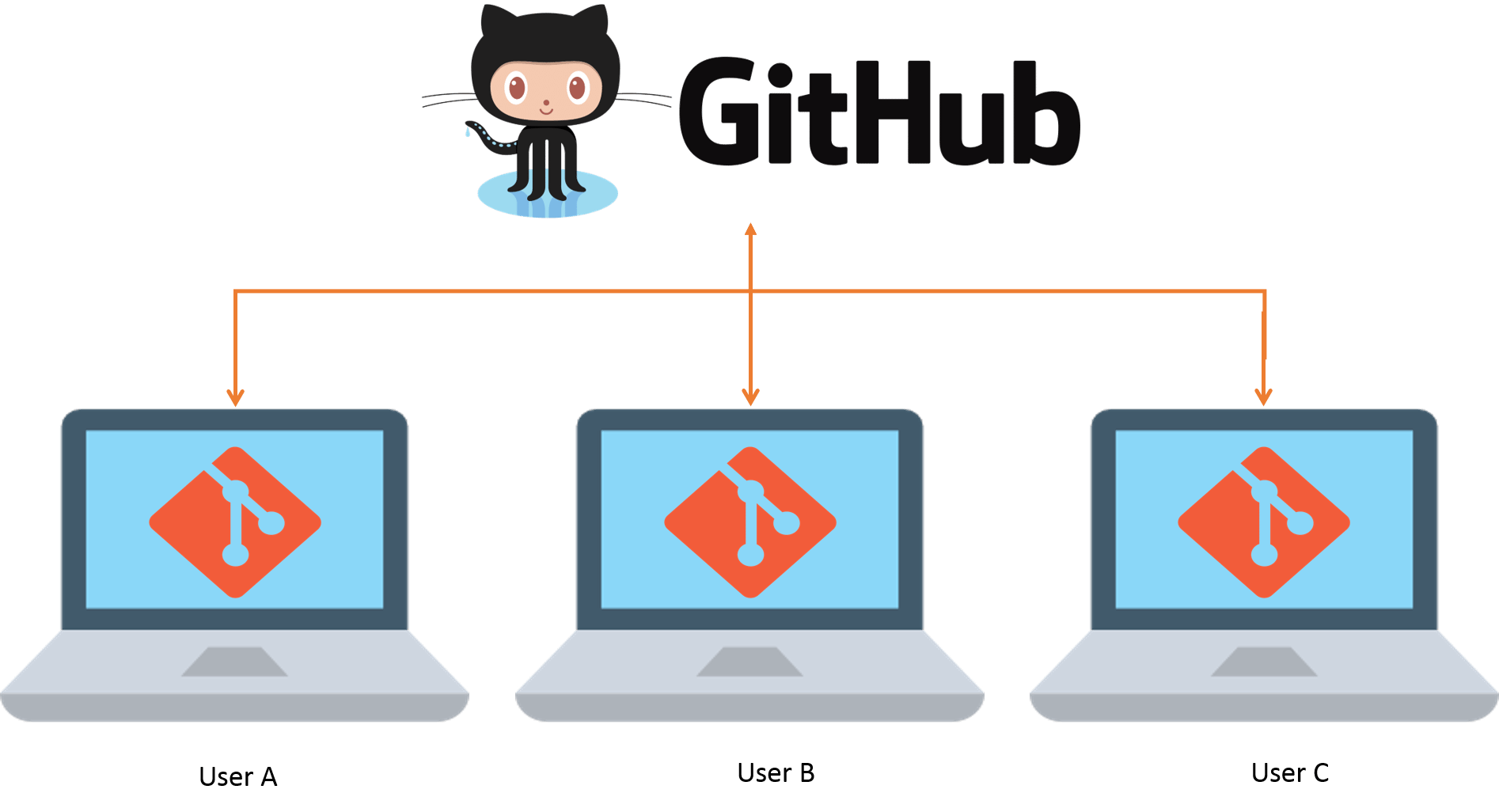
Git vs GitHub
Git
- Software
- Something you install in your computer
- A command line tool (but we can bypass that)
GitHub
- A service (offered by Microsoft)
- Lives “on the cloud”
- Provides a graphical interface
- How you connect your computer to your colleague’s computer
- Back up of your code
Git vs GitHub
Git
Git was created by Linus Torvalds (creator of Linux) in 2005
Key Features:
- Free and open source: No licensing costs
- Ample documentation
- The most popular version control system
Four Git concepts
Repository
Clone
Commit
Push / Pull
Git Concepts: Repository
Repository (repo): A directory containing your project and its complete history
Think of it as:
- A project folder with superpowers
- A database of all your changes
- A collaboration space for your team
Types:
- Local repository: On your computer
- Remote repository: On a server (like GitHub)
Example
- The folder on my computer called
tuna_datais the local repo - What you saw online was the remote repo
- 1 folder = 1 RStudio project = 1 repo
Git Concepts: Cloning
Cloning: The process of bringing a repo from the remote to local for the first time
When you clone a repo:
- You get all files available in the remote, at that point in time
- You only do this once per project (unless you have more than one computer)
- RStudio has a nice way of doing it without having to use the command line
- Cloning is just GitHub’s way of referring to “download and connect remote to local”
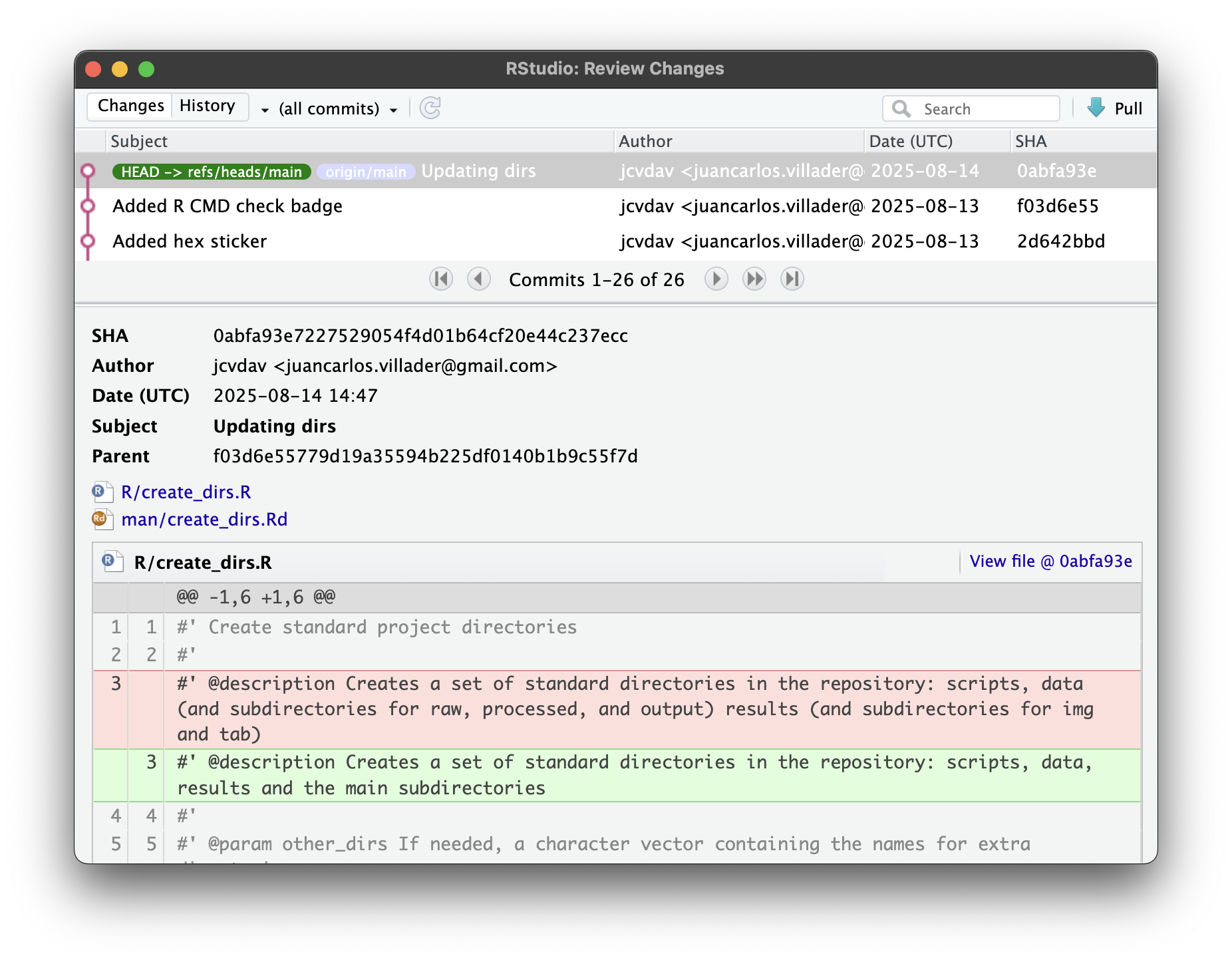
Git Concepts: Commit
Commit: A snapshot of your project at a specific point in time
Each commit contains:
- Changes: What files were modified
- Message: Description of what was changed and why
- Author: Who made the changes
- Timestamp: When the changes were made
- Unique ID: A hash that identifies this commit
Think of commits as:
- Checkpoints in your project’s history
- Save points in a video game
- Pages in a project’s storybook
Git Concepts: Push / Pull
Refers to uploading and downloading changes to and from the remote
- With a push, you decide when you send a bundle of commits
- With a pull, you decide when you bring down your colleague’s version of code
Git Workflow: The Basic Cycle
- Modify files in your working directory
- Stage changes you want to commit
- Commit staged changes with a message
- Repeat as you work on your project
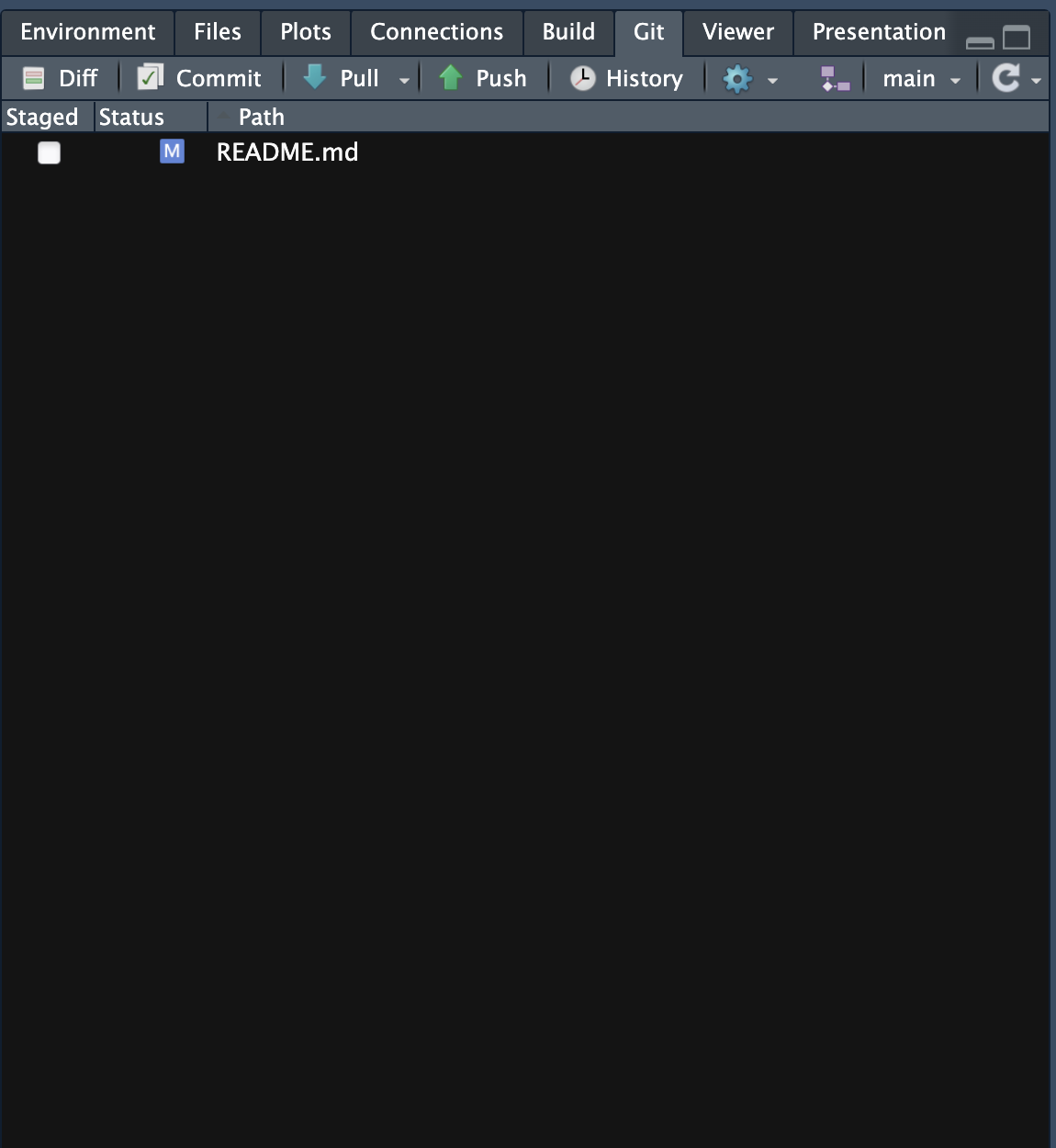
Push the changes up to GitHub
This cycle creates a timeline of your project’s development
When / What to commit
- No specific rule
- Whatever a “change” might look like
- Sometimes
Added color to points in figure 2is enough (one line in one file) - Sometimes
Refactored code to work with new packageis appropriate (many lines in many files) - Small commits and frequent commits are best
Writing Good Commit Messages
Good commit messages:
- Are descriptive and specific
- Explain WHAT and/or WHY and/or HOW things changed
- Are concise but informative
Examples:
Add sea surface temperature data processing functionFix bug in monthly trend calculationUpdate README with installation instructionsstufffixed things
GitHub: The Social Platform for Code
GitHub is a web-based platform that hosts Git repositories (including this course)
Key Features:
- Free hosting for public repositories
- Collaboration tools: Issues, pull requests, discussions, contact authors
- Project management: Wikis, project boards, releases
- Integration: Connects with other tools and services
- Portfolio: Showcase your work to potential employers
GitHub vs DropBox/Box/GoogleDrive…
- Designed for the intended task
- You have granular control over what is updated and when
- Allows multiple versions of same project to evolve in parallel
- e.g. Your pipeline is done, mine isn’t yet
An example
mex_portsrepository- Note how I simply overwrite the file
- No need to have V1 (didn’t work) and V2 (works) in the same repo
- If I ever want to go back to an earlier version, I can!
Resources for Learning More
Git and GitHub:
- GitHub Guides
- Git Handbook
- GitHub Desktop (GUI for Git)
R and Git:
Interesting reads
Next class
Hands-on: We’ll play with Git and GitHub
Install git and create a GitHub account
Instructions available here, and under Week 2 in the course’s website
Learning Objectives - Revisited
By the end of this week, you should be able to:
- Understand the importance of reproducibility
- Create the basic structure for an organized project
- Explain the difference between Git and GitHub
- Create and “clone” a “repo”
- “commit” and “push”
Assignment
Assignment: Set Up Your Repo
Remember: Version control is a skill that gets better with practice. Start using Git for everything!
Extra slides
Essential Git Commands
We can do most things in RStudio, but you should know:
- Getting started
git init: Create a new repositorygit clone: Copy a repository from remote to local
- Daily workflow
git status: See what’s changedgit add: Stage changes for commitgit commit: Save changes with a message
- Connecting with GitHub
git push: Upload changes to remote repositorygit pull: Download changes from remote repository
GitHub Workflows
By yourself
- Clone: Download the repository to your computer
- Commit: Make and save your changes
- Push: Upload your changes to GitHub
In a group
- Clone: Download the repository to your computer
- Branch: Create a separate line of development
- Commit: Make and save your changes
- Push: Upload your changes to GitHub
- Pull Request: Propose changes to the original repository
- Review: Get feedback and approval from collaborators
- Merge: Integrate approved changes into the main project